See outages before customers do.
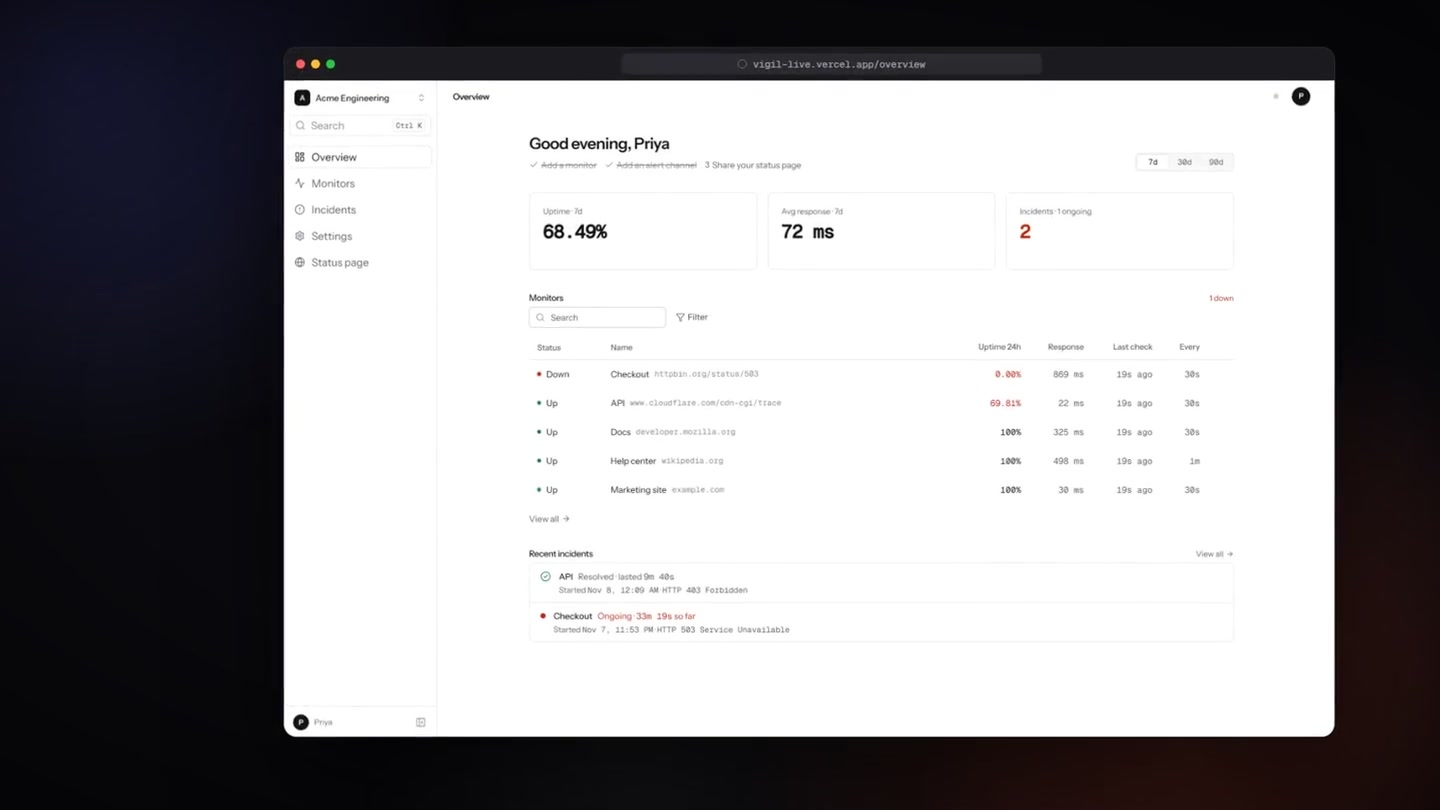
Uptime monitoring and status pages for engineering teams of 2 to 50. First alert within 60 seconds of a failure, two strikes before anyone is paged.
Checks every 30 s · Two failed checks before paging · Status page included · Free while in beta
Why teams switch
Forty minutes to find out, by hand.
A typical outage timeline we hear from teams moving off a cron script and a Slack bot, against the same outage on Earlyward.
- 09:12A customer posts “checkout is down” on X.
- 09:40A cron script notices and pings a Slack bot. Nobody reads the bot.
- 10:05Someone hand-writes a status update in Notion and shares the link.
- 3 toolscron, a Slack bot, a Notion page. Zero history.
- +0:30Second failed check. Earlyward opens an incident with HTTP 503 and the URL.
- +0:31One message in #ops-alerts and one email. Nothing else fires.
- +0:31status.northwind.io flips to “1 system is down” on its own.
- 1 toolMonitors, alerts, incidents and the status page share one record.
Monitors
Every URL, checked every 30 seconds
Add a URL and pick an interval from 30 seconds to an hour. Earlyward probes it from a Go worker and keeps response times, uptime and SSL expiry on one page.
Learn moreAlerts
One message down, one message up
Two consecutive failures before anything fires, so a single timeout never pages anyone. Delivery to Slack, Discord, email, or any webhook with the cause attached.
Learn moreIncidents
Incidents open and close themselves
Every outage becomes an incident with start, duration and cause, written from the checks that caused it. The timeline is ready before anyone opens a laptop.
Learn moreStatus pages
A status page that updates before support does
Public page per workspace with 90 days of daily uptime and the incident history. It changes the moment an incident opens, with no one typing.
Learn moreIntegrations
Sits where your alerts already go
- Slack
Incoming webhook. One message down, one up, with the cause.
- Discord
Same payload as Slack, renders as a message.
- Email
Delivered through Resend. Plain text, no images.
- Webhooks
JSON POST to any URL. Fields: event, monitor, at, duration_sec.
- Status page
Public page per workspace at earlyward.com/s/your-slug.
- JSON API
Everything the app does, over the same cookie-authenticated API.
Security
What Earlyward stores, and what it does not
- Sessions
- httpOnly, SameSite cookies that expire after 30 days. No third-party auth service.
- Passwords
- Hashed with bcrypt. Never logged, never emailed.
- Checks
- Plain GET requests from the Earlyward worker. No scripts run against your site.
- Alert payloads
- Monitor name, URL, status, time and cause. Nothing else leaves the workspace.
- Data retention
- Checks and incidents are kept for 90 days, then dropped.
- Deletion
- Deleting a monitor removes its checks and incidents immediately.
- Status page
- Shows only the monitors in your workspace. Response bodies are never stored.
- Source
- The whole product is open on GitHub, so every claim here can be checked.
Pricing
Free while in beta.
One plan with everything in it. Paid plans come later, with the features that justify them.
Free
$0 while in beta- 20 monitors, checked every 30 seconds to an hour
- Email, Slack, Discord and webhook alerts
- Automatic incidents with cause and duration
- SSL certificate expiry warnings
- A public status page with 90 days of history
- Everything in the dashboard, no feature gates
No card. Delete the workspace any time from Settings.
FAQ